
Showing posts with label business tools. Show all posts

Tuesday, April 21, 2015

Tools we can use: Square

I am finally getting settled back into my (more or less) normal routine after teaching at Glass Craft Expo in Las Vegas. I taught four very full classes over four days, and had the best time - my students were terrific and the venue and management staff were incredibly organized, accommodating, and thoughtful. I really could not have asked for a better experience.


One of the things I had to plan for in getting ready for this show was taking payment for materials fees and the tools and other things I'd brought for sale. I haven't had an online shop in a while (more about that in a minute), haven't done shows in even longer, and haven't done much selling when I am on the road. So.... I had to revisit the Square, which had been sitting in my desk drawer gathering dust for weeks months years.

source
Amazingly, my account was still open and still linked to the right bank account. All I had to do was update some contact info and my logo and I was ready to go.

In the time since I've been gone, Square has made some improvements... significant improvements.

For starters, they've greatly expanded the "staff" mode, making it much easier to get help when you need it without sharing passcodes and log-ins. And you can fine-tune access as well, so that helpers only get to work with the stuff you want them to.

Since I brought a teaching assistant with me, this was enormously helpful. Even more helpful was that I was able to use the Excel spreadsheet I'd used for planning purposes as an upload for all my inventory and pricing, so there was no duplication of effort - and although that process did take two separate steps, it was super easy and fast.

Square has also greatly expanded its reporting capabilities:
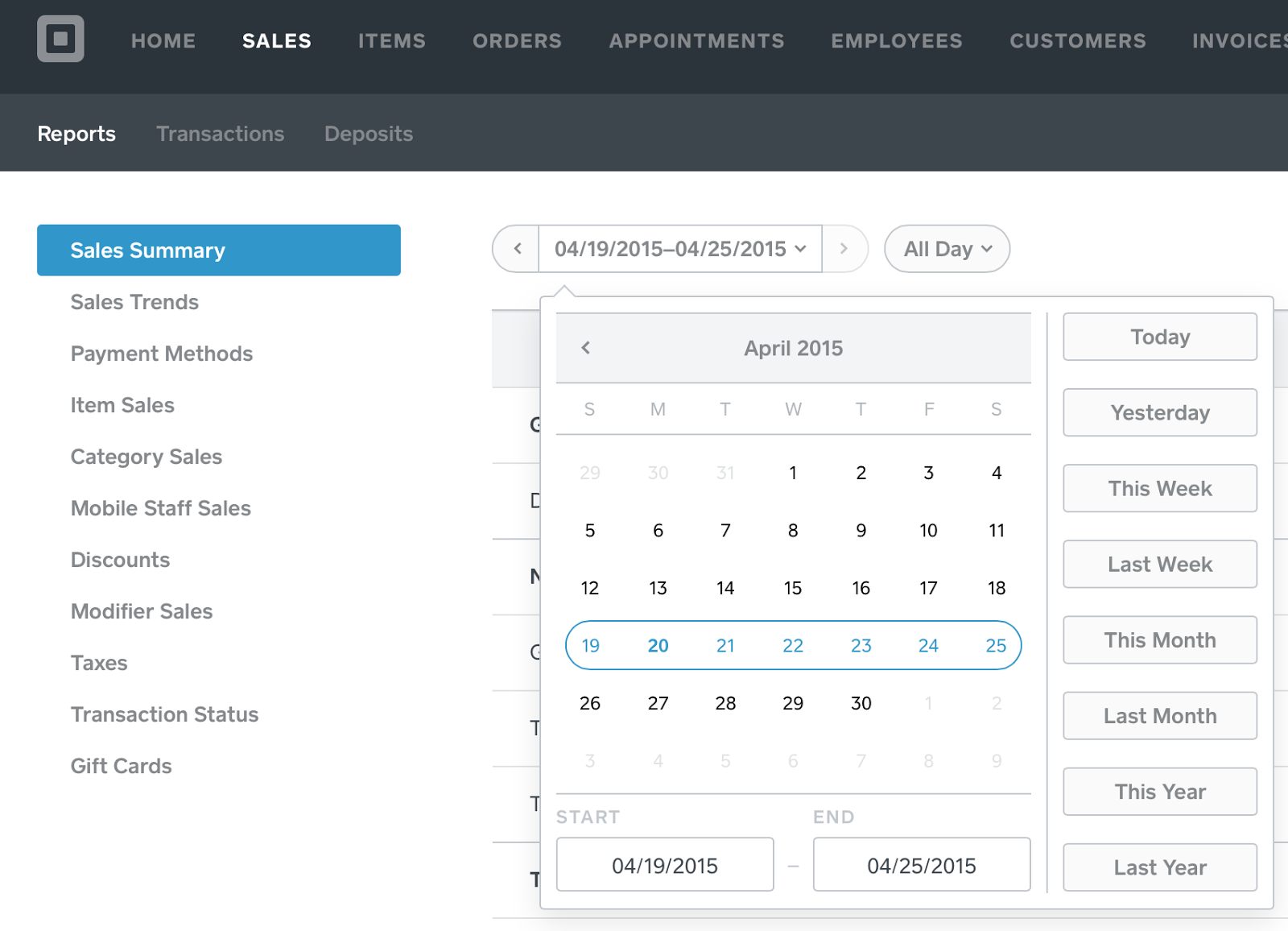

I was extremely impressed with the range of reports available in their free account - lots of opportunities to dig down and get a picture of what's going on with your sales.

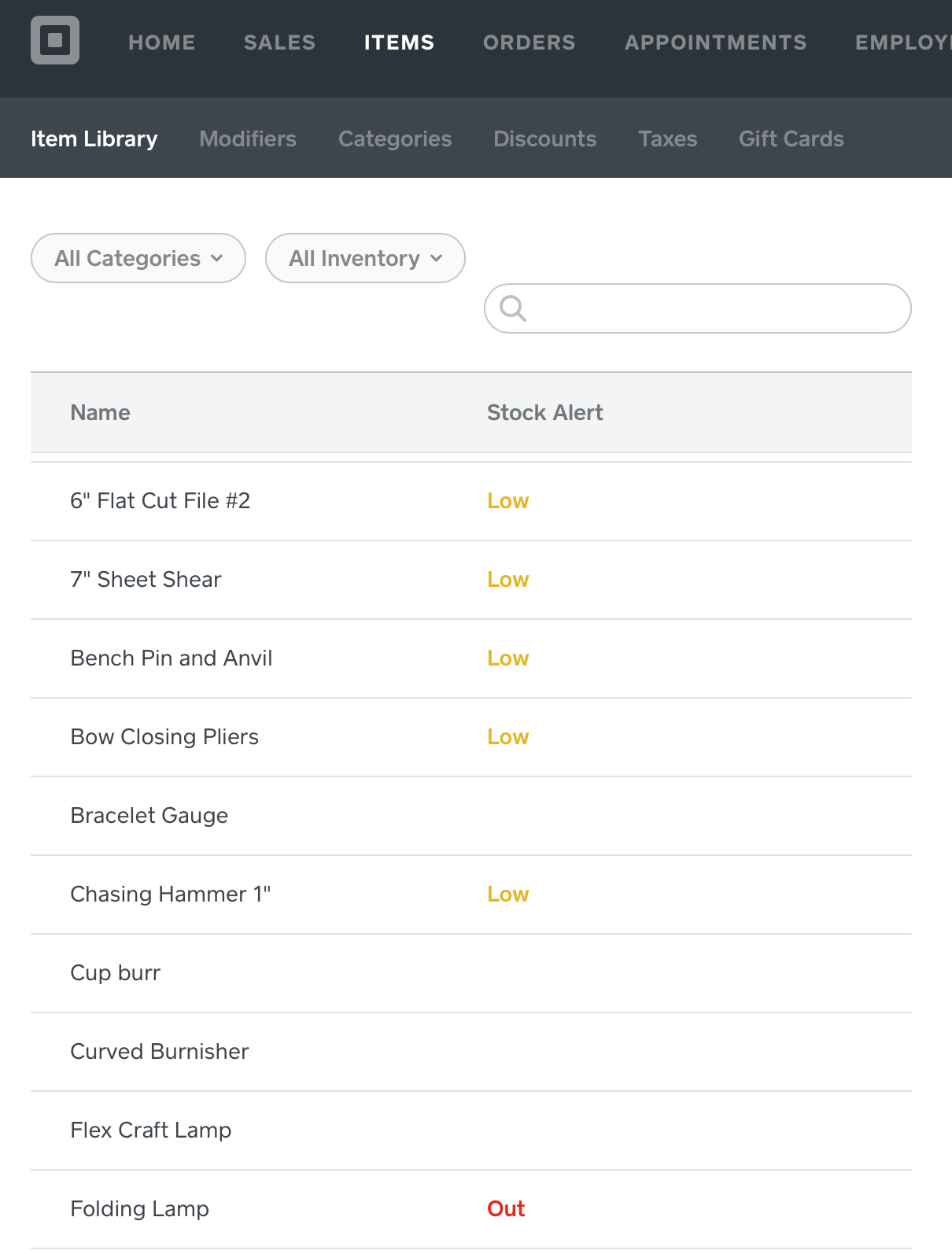
And inventory management is great too:

Square allows you to accept cash and checks, too, not just credit cards, even if you're not using a connected cash drawer. 


And if a customer wants to pay some cash and some other form of payment, you can do that too.


The Square worked fast and flawlessly, even when we had spotty cell reception. Ringing up the students was as simple as just touching an inventory or item entry, or adding one on the fly - which was also fast. And promptly at 5:00 every afternoon, Square bundled up all that day's sales, deducted their fees (which are a super-affordable 2.75%) and deposited them in my bank, where the funds were immediately available the next day. Automatically.

I didn't discover until I got home that Square also allows you to send invoices:

There are all sorts of other features I haven't played with yet, including a for-fee feature that allows you to use Square as the place to capture customer information for marketing purposes and an app that connects Square directly to our Quickbooks file so you don't have to do any kind of duplicate entry. And there's apparently an embed function that allows you to post things for sale on your own website and then direct people to Square to make the purchase. Square also hosts Square Market, where you can post items for sale if you don't want to create your own website, and with things going south over in Easy-Land, lots of folks are looking for alternatives (including me, because it is way past time for me to get my stuff together and create an actual online shop). Best part of that deal? No listing fees, just the usual processing fees when you make a sale. 

The bottom line is that in addition to kicking butt on the road for a fraction of other credit card processors, Square has the potential to combine a number of different business functions in one place and creating all sorts of efficiencies. And frankly, I can use all the extra time I can get! If you're looking for a way to accept payments on the road or online, I highly recommend checking out the Square. I'll report back if I add any of their premium features and let you know how they work for me.

Until next time -


Wednesday, April 2, 2014

There's an App for that

Computers revolutionized the way we do business, and now smart phones and tablets have made running a business in the digital age mobile. I thought I would share a few of my favorite apps that have made it possible to be on the road and still get things done without a computer, a day planner, a notebook, and a knuckle buster. 

For clarity, I'm working with an iPad 2 and an iPhone 4S. I don't know about Androids or any other types of smart phones or tablets, but I'm sure they can run many of the same apps or have a similar app. 

Square: 

I've been using square for a few years and it has made my life, and many other business owners lives easier. Even my hairdresser is using it now! 


The first year I used it, some customers were leery, others amazed. Now most of have seen one in action or at least seen the commercials for them. But it's so easy to use. Go to the Square website to sign up and get your FREE card reader. Go through the registration process, download the app to your phone and/or tablet, and you can take credit cards anytime anywhere. Without monthly fees for the privilege of a merchant account, without huge per transaction fees. And Square automatically initiates a transfer to your account on file the next business day. 

I cannot tell you how much Square has saved me compared to the inexpensive merchant account I used to have. The bank where my business accounts are kept actually tried to talk me into their version of Square. I read the informational sheet they handed me and laughed. I told the teller no thanks because they still want to charge a monthly merchant account fee plus the per transaction fee was much higher. She said they came up with this to compete with Square. I told her they need to keep trying. 

I know Paypal has their own card reader, and perhaps others do as well. I know nothing about them and recommend research before making a decision for which one you want to use. 

TurboScan:

I have one of those all-in-one copier/printer/scanner. But it's slow. And it's in the basement. And it's so darn inconvenient. And sometimes I am at the lake, which has an inexpensive laser printer, but no scanner. One day I needed to email or fax a document, but I was out of town and would have had to go to Kinko's to accomplish this. So I searched for a possible app and found TurboScan. And I have used it for all kinds of things. Yesterday I used it to email my contract for Bead Fest Philly in August. 

Here's the app in the app store. It also shows what the opening screen looks like. Get your document and click on camera.


Set your document on a dark background for best results. Then click the shutter button at the bottom. 


It automatically cuts out the background for you, but you can tweak it if you want to. Then a screen comes up where you can change how dark the writing is. I've always stuck to the darkest setting. 


The next screen gives you the option to change properties and give the document a name (center bottom), email (left bottom), or add another page to the document (right bottom)


Here's the page that comes up if you click on the pen in the center:


And options for distributing your document: 


Evernote:

What I love most about Evernote is you can add something to it, and it updates it across all your devices where you've installed it: phone, computer, and tablet. I've barely begun to scratch the surface of what this app can do, but I love it. 

I'm not very good at carrying around pen and paper. I always have good intentions, but it never happens. Evernote is where I record my business mileage. I have another note where I collect quotes. You can take a photo of something and write notes about it so you aren't wondering later why you took that picture or what you wanted to remember about it. Write lists. Upload your beading patterns or any PDF to it. I love this thing. It's my pen and paper. 


Facebook Pages: 

If you're on Facebook, and you have a Facebook page for your business, you need Pages. It allows you to update your page as your business. You can upload photos you've taken with your phone to your page. Without Pages, you can't really interact with your community to your full potential. And if you have multiple pages, you can easily switch between each page. 

Instagram: 

Supposedly people (mainly the younger crowd) are leaving Facebook in droves for places like Instagram. My customers aren't teens, but who knows how long it will be before us older people follow in their footsteps (if at all?). But that's not the only reason I love Instagram. I love photos. And I love sharing photos. Instagram has fun effects AND it's so easy to share these photos to other platforms like Facebook, Twitter and Flickr. And I can take a photo of something right out of the kiln, take a photo, edit it, and share it with a few clicks. 


Camera:

I know, this one comes pre-installed on your phone. But I use it more than any other app and it has saved me SO MUCH TIME in uploading a kazillion photos to the computer, sorting, editing, then sharing the photos. 

In fact, my next blog post (in two weeks) will be some tips on using the camera on your phone to take better photos of your work. 

Until then,

-Jen Cameron


Tuesday, December 4, 2012

Tools I love...


... but not the kind you may be expecting.

As we've talked about here before, the life of a jewelry artist isn't all sunshine and creativity. A lot of time has to go into things like marketing, accounting, shopping for supplies, shipping, and more - the stuff of any small business. And I'm a sucker for good, quality tools that will help me do those things better and more quickly so I can get back to making things, which is my real passion. So here are a few of my favorites!

When I worked for large companies or firms, we always had an IT group that dealt with things like firewalls and security. As a small business owner, there's just me - and while I have some of tech geek DNA in my make up and I enjoy digging into the nuts and bolts of techy things, I really resent the time I have to spend on "tech support" issues here at home, because they usually pop up at the worst possible time.

Case in point: my personal website got hacked twice shortly after the first of the year, and even after we got it back up and "cleaned" (not an easy process), I fell victim to repeated "ghosting" attacks. That's where someone creates a page marketing their project (usually pharmaceutical products or... you know, that other favorite online activity) and links it to your website so that their pages come up in searches relevant to your site. It got so bad that my site was marked as "unsafe" on Google. I was enormously frustrated.


I am very fortunate to have a good friend who is a web developer and who points me towards cool products and services at times like these. The first thing was to get rid of those "ghost" pages and secure my site from that kind of attack in the future. Enter Sucuri Online Security. For $90 a year, they will monitor your site automatically and guarantee it stays clean. And when (not if, because nothing's foolproof) something latches onto your site, they clean it up at no additional charge. For Wordpress sites, they have a plugin that provides a dashboard allowing you to see every bit of activity on your site, as well as a list of blocked IP addresses. The first time I checked the audit log, I was stunned to see how many blocked access attempts there were on the list - I'm small potatoes in the internet world, and yet there are multiple attempts every single day. The plug-in also evaluates the site and makes security recommendations, then implements them automatically once you approve them. For me, this is money well, well spent. In the ten months I've had the service, I've used their clean-up service twice. Both times my site stayed operational and was completely clean within an hour. I can't recommend this service highly enough.

Another thing we should all be doing is managing our passwords better. Ideally, they should be different for every site, randomly generated, and changed periodically. But if you're anything like me, you have dozens of sites with account logins - your bank, shopping sites, social media, and on and on. Who wants to try and remember all those random numbers and letters times a dozen or more?? Enter LastPass. Create one master password for yourself, and then let LastPass generate and store random passwords for every site where you need a log in. A browser plug-in makes getting into your accounts a one-click operation and offers several hugely useful browser tools, including a form-fill tool - I use it for the standard fields in my Etsy listings. Best of all, it's a completely free service (who doesn't love FREE????!) and for an additional $12 a year, you can download the smart-phone version that synchs automatically with your online account. Again, I can't recommend this service highly enough.


So now that we've fixed our passwords and secured our site, shouldn't we be backing it up somewhere? The answer is yes - even if you're on a user-friendly platform that's doing backups for you, you want one you have some control over. There are lots out there, but the one I use is BlogVault, which is good only for WordPress sites (which is the platform I use). It does automatic daily backups, and I can manually backup whenever I want. Lots of services do the same - but the thing I love about BlogVault is that in the event my site goes down, restoring it is a one-button operation and includes all the customizations I've made to the site design. Cost: $9 a month.

Taken all together, these three services keep my online presence safe, secure, and backed-up. For me, spending that money (a total of $210 per year) is completely worth it, because it means I don't have to hassle with my site any more than I want to. It's cheaper than paying a techie person by the hour when these problems come up - and as my grandmother would say, an ounce of prevention is worth more than a pound of cure.

Finally, let me share my new favorite financial tool. I did my first show at the beginning of November (which you must surely know, since I talked about it endlessly - sorry!) and was looking for an inexpensive but reliable way to take credit cards for purchases. I didn't really want to have to go through all the red tape to set up a merchant account, and PayPal's fees seemed awfully high. Square was the solution I settled on, and I can tell you after my one experience with them that I will be happy to remain a customer for as long as they'll have me. Low, low fees (2.75% per swipe - no per transaction fee) and next day deposit to my bank account. The customer can have a receipt e-mailed to them - and if they've used the credit card on Square before, Square remembers their name and e-mail information and enters into the screen on my phone automatically. Square also has a great online dashboard that allows you to set up your store, logo, and profile information - easy to use and very clean to look at. Another big plus for me is that I will be able to set up "staff" for bigger shows next year, so the friend or friends who go with me to help man the booth can have their own Square readers set up on their phones to process payments to my account. All of that can be done on the online dashboard without my having to give them my personal account information. And the Square readers are free. Sweet!

So there you go - some of my favorite business tools that help make all that non-creative stuff a little less painful. Have a favorite that I didn't mention here? Let us know in the comments below!

Until next time!

Francesca Watson Designs